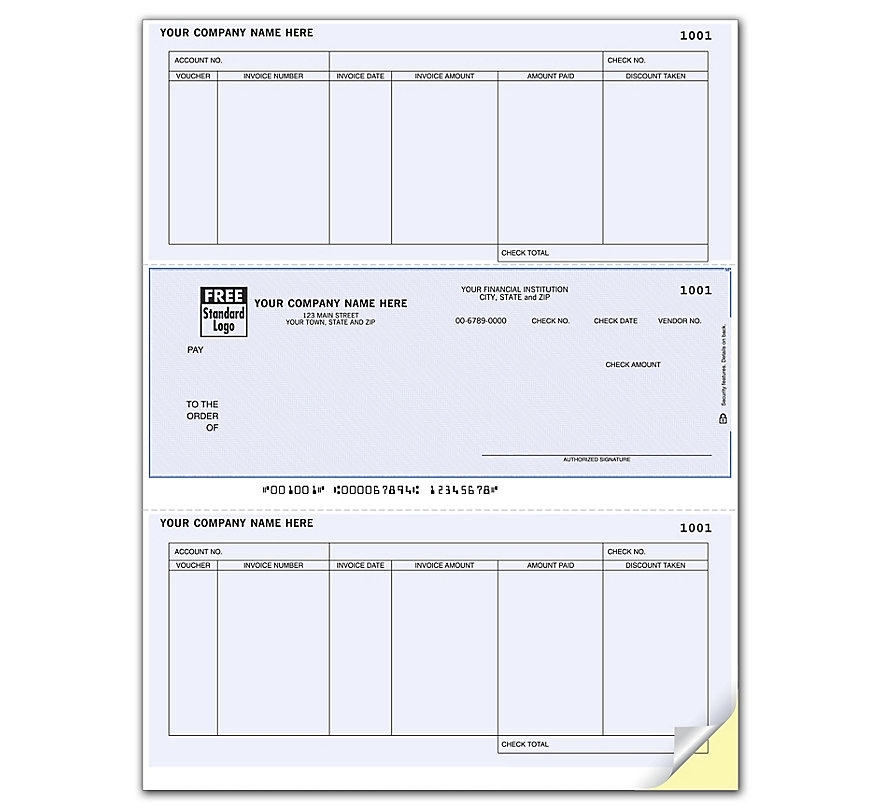
Laser accounts payable check
#DLM210
Pricing Details
Production Time: 8 Working Days
| Quantity | Price (USD) |
|---|
| 250 | As low as $0.53 each |
| 500 | As low as $0.36 each |
| 1000 | As low as $0.25 each |
| 2000 | As low as $0.21 each |
| 2500 | As low as $0.20 each |
| 3000 | As low as $0.18 each |
| 4000 | As low as $0.17 each |
| 5000 | As low as $0.16 each |
| 6000 | As low as $0.15 each |
| 8000 | As low as $0.13 each |
| TTTTTTTTTT |
Use this single-sheet laser accounts payable check form to enhance the way your accounting department does business! The 8 1/2" x 11" form includes an 8 1/2" x 3 1/2" check. The check security features include UV dull paper, chemically sensitive paper, warning box, original document screen, eraser protection, invisible fluorescent fibers and microprint borders or signature line. The form is compatible with MicrosoftAA(R) Business Solutions, Microsoft Dynamicsa, Great Plains AA(R) and other top accounting packages. Printing your own checks can save your company money in the long run!
Normal Production Time
8 Working Days
Product Size
Length:8 1/2:in;Width:11:in
Additional Information8 1/2" x 11" single-sheet laser accounts payable form with an 8 1/2" x 3 1/2" check